How to draw on a webpage in Chrome while teaching
To draw over a lesson page in desktop Chrome, open the page and click the PaintLasso Annotate extension. Use the highlighter to point out the instructions, draw an arrow to the example, then press Esc to go back to clicking the page. Annotate is a free beta you install manually.
Install the Chrome beta
- Download the ZIP from the PaintLasso Annotate beta page and unzip it into a folder you can keep.
- In desktop Chrome, open
chrome://extensionsand turn on Developer mode. - Click Load unpacked and select the folder that contains
manifest.json. Pin PaintLasso Annotate from Chrome’s Extensions menu so it’s easy to open during class.
On school-managed Chrome, ask your IT team if local extension installs are permitted. For screenshots of Chrome’s install controls, see Chrome’s guide to loading an unpacked extension.
Try a short fractions lesson
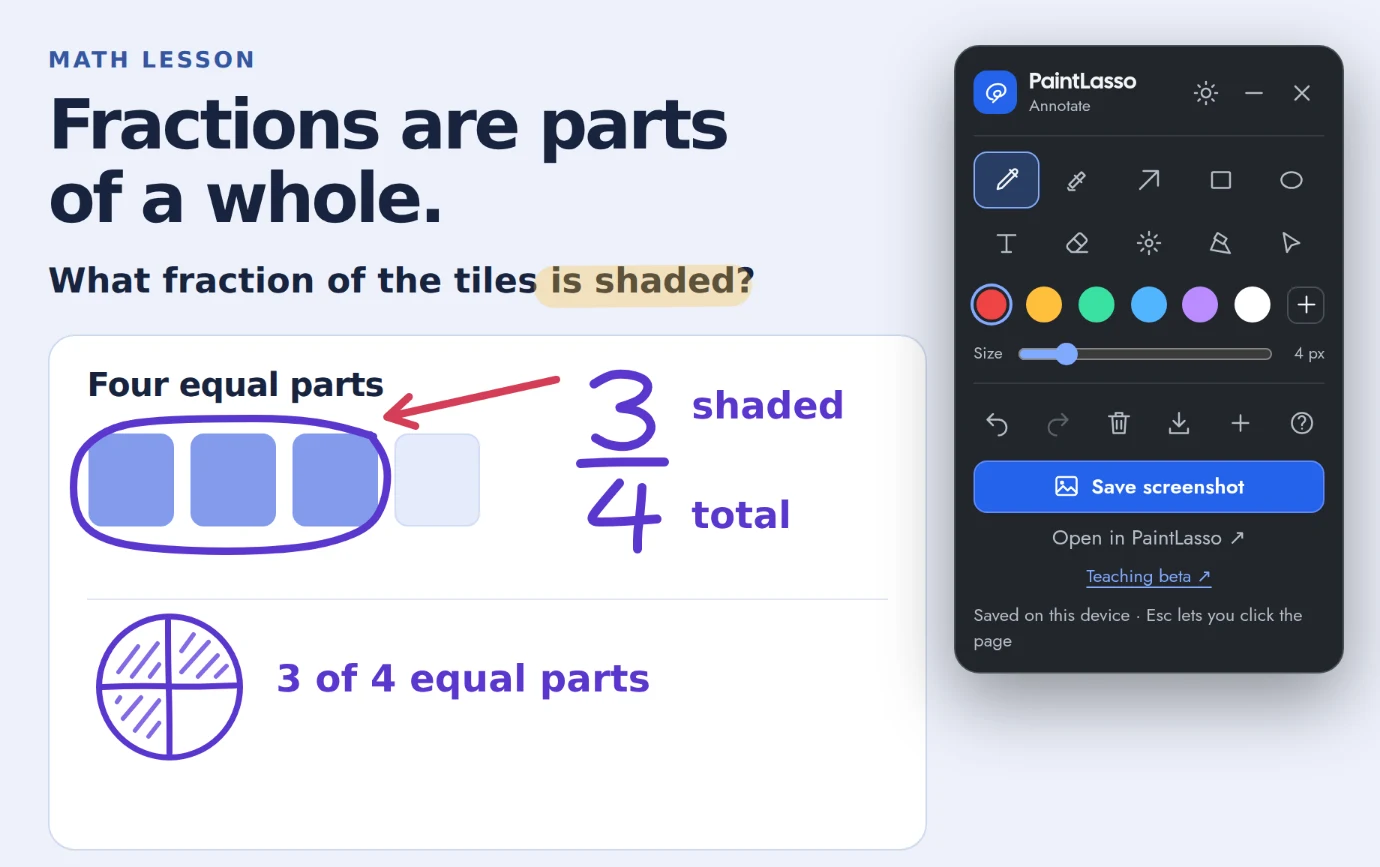
- Open the fractions practice and expand it before you start drawing. Click the extension icon to open the toolbar.
- Use the Highlighter on the words that tell students what to look for. Circle three tiles with the Pen, then write 3/4 next to them. Leave the final tile visible so students can count the whole.
- Press Esc to return to pointer mode. You can click links and controls again while the marks stay visible. Use Clear page annotations to start the demonstration over.
Know where your marks will appear
Annotate works on regular webpages. Try an HTML lesson if you started on Chrome’s New Tab page or in its built-in PDF viewer, where extensions have restricted access. Open your lesson at the same zoom and window size you’ll present with. If the webpage reflows, marks can end up over different content.
Use Save screenshot to share a PNG of the visible part of the lesson. Use Export editable annotations if you want a JSON backup for a later class. Prepare screenshots with a practice page or other material you can share without exposing student information.
Related guides · PaintLasso for teachers and students · Drawing on a Chromebook